Change Java version for Apps deployed on Heroku
- Details
- Written by Nam Ha Minh
- Last Updated on 29 October 2021 | Print Email
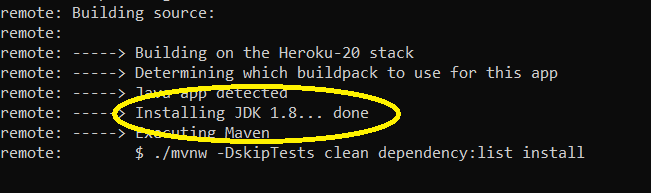 To change this default Java version, you have to create the system.properties file under the project’s root directory, with the following content:
java.runtime.version=<jdk_version>
For example, to use JDK 15:java.runtime.version=15
As of October 2021, Heroku supports Java versions 1.7, 1.8, 11, 13, 15, 16 and 17.Then, if you deploy via Git push using Heroku CLI, you need to run the following commands to redeploy the app:git add .
git commit –m “use java version 15”
git push heroku master
Then you should see it is installing JDK 15 for compiling and building the app: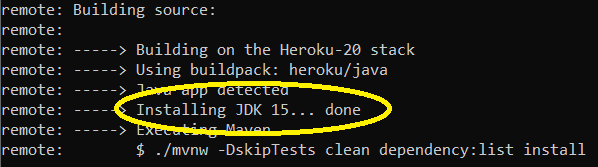 Now your app is running under the JDK version you specified.
Other Heroku Tutorials:
- What is Heroku for Developers (Benefits, how it works and key concepts)
- Deploy Simple Spring Boot Project to Heroku using Git and Heroku CLI
- Deploy Spring Boot App with MySQL Database on Heroku
- Add Custom Domain Names for Heroku Apps
- How to Enable Secure Connection (HTTPS) for Heroku Apps
- How to Deploy JAR File to Heroku
- How to Deploy WAR File to Heroku
About the Author:
 Nam Ha Minh is certified Java programmer (SCJP and SCWCD). He began programming with Java back in the days of Java 1.4 and has been passionate about it ever since. You can connect with him on Facebook and watch his Java videos on YouTube.