Undeploy (Remove) Apps from Heroku
- Details
- Written by Nam Ha Minh
- Last Updated on 19 October 2022 | Print Email
1. Undeploy apps using Heroku web dashboard
You can delete an app from Heroku via web interface. Follow these steps:- Sign in to your Heroku account, and go to Apps Dashboard.- Click on the name of the app which you want to undeploy.- Click Settings page: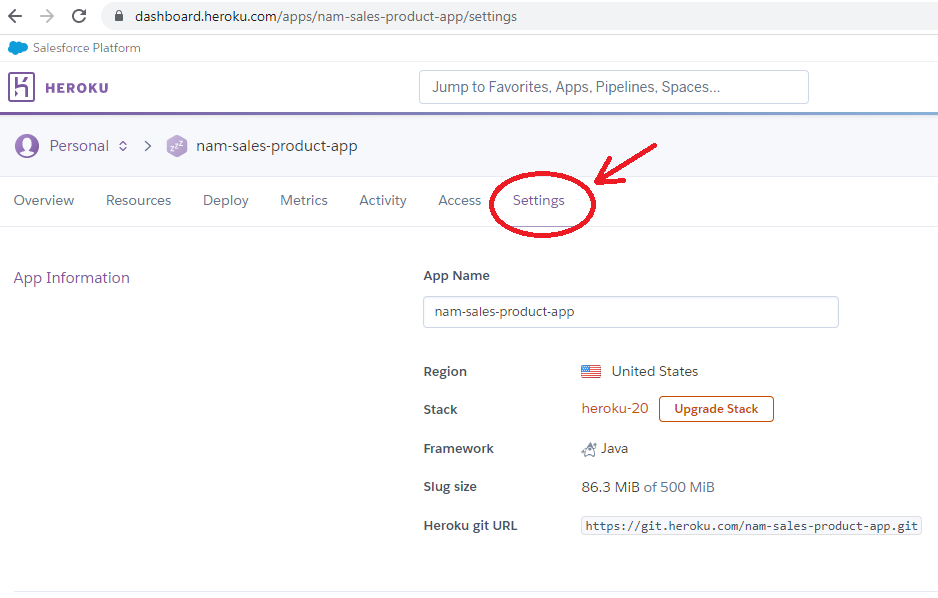 - Scroll to the end of the Settings page, and click Delete app…button: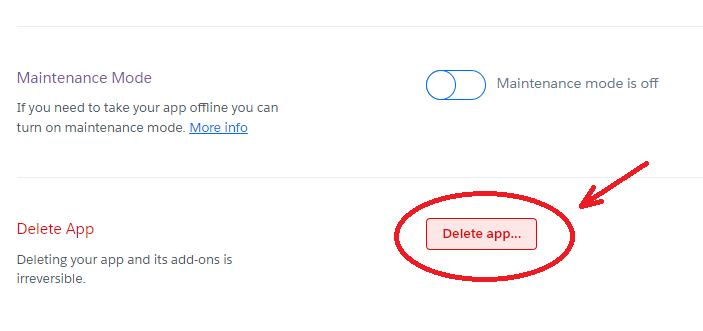
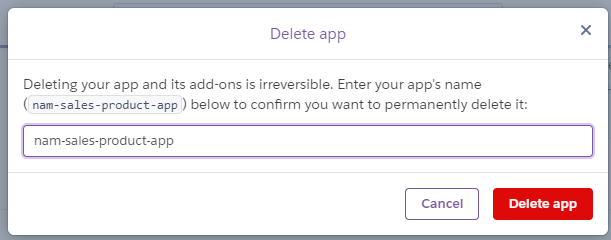 - Click Delete app button to permanently undeploy the app. Heroku will delete all data used by the app, including installed add-ons.
2. Undeploy apps using Heroku CLI
You can also delete an app from Heroku in command line. Make sure that you logged in Heroku CLI, and follows the steps below:- Type heroku apps to list all deployed apps so you can know the name of the app which you want to remove: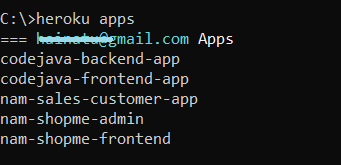 - Type heroku apps:destroy -a <appname> to delete the app specified by <appname>. For example:
 - Type the app’s name to confirm and hit Enter. Heroku will delete the app and associated data (including installed add-ons) permanently. NOTES:- You can destroy the app in a single command by putting --confirm=<appname> at the end like this:
heroku apps:destroy -a codejava-app --confirm=codejava-app
- To learn more about the command syntax, type heroku help apps:destroyThat’s how to undeploy (delete) apps from Heroku using both web interface and CLI. I hope you found this article helpful. I recommend you watch the following video to see Heroku apps undeployment in action:Other Heroku tutorials:
- What is Heroku for Developers (Benefits, how it works and key concepts)
- Deploy Simple Spring Boot Project to Heroku using Git and Heroku CLI
- Change Java version for Apps deployed on Heroku
- Deploy Spring Boot App with MySQL Database on Heroku
- How to Enable Secure Connection (HTTPS) for Heroku Apps
- How to Deploy JAR File to Heroku
- How to Deploy WAR File to Heroku
- Add Custom Domain Names for Heroku Apps
About the Author:
 Nam Ha Minh is certified Java programmer (SCJP and SCWCD). He began programming with Java back in the days of Java 1.4 and has been passionate about it ever since. You can connect with him on Facebook and watch his Java videos on YouTube.